 Gaberone Lane, Gaberone Plaza, Basement, Shop G1
 0736000040
Wrong Password!
Gaberone Lane, Gaberone Plaza, Basement, Shop G1
0736000040
Wrong Password!

.jpg)
.jpg)
Laptop Maintenance Tips:
1. New battery: For use a new battery, you’d better try a few cycles of discharging to 5%. then charging up to 95%. So that it can be activated completely
2. Overuse: Do not always run out of a battery to 0%, this would make it damaged or usage life shortened
3. Charging sequence: when charging, first install the battery, then turn on the power, when fully charged, first cut off the power, then pull the power plug.
4. Long-term storage:Please store the unused battery fully charged.(Charge it once a month) Do not store at low power to prevent reduce the lifespan of a battery
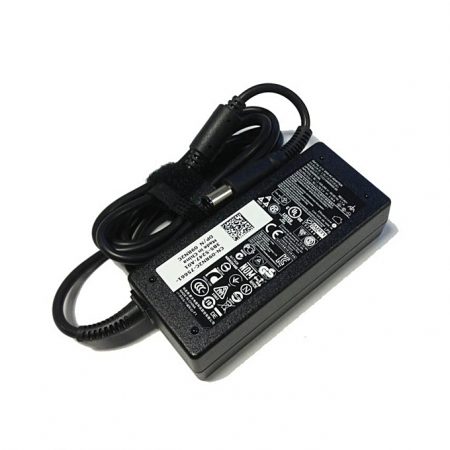
5. Charger: Do not replace the laptop adapter casually. If the original adapter cannot be applied due to malfunction or damage, please replace the models, so as not to reduce the service life of the battery due to incompatibility.
For Laptop Maintenance:
1. Fully Activation: First use the new battery, you’d better try a few cycles of discharging to 5%. Then charging up to 95%. So that it can be activated completely.
2. Overuse to 0% is Not Recommended: Frequently Running out of a battery to 0% would make it damaged or usage life shortened.
3. When charging, first install the battery, then turn on the power. When fully charged, first cut off the power, then pull the power plug.
4. Please store the unused battery fully charged.(Charge it once a month) Low battery storage will lead to a shorter battery life.
Specs...
 Stock: 100 Items left
Category: Laptop Accessories
Tags:
 No reviews yet